Documentation Index

Fetch the complete documentation index at: https://developers.hubspot.com/docs/llms.txt

Use this file to discover all available pages before exploring further.

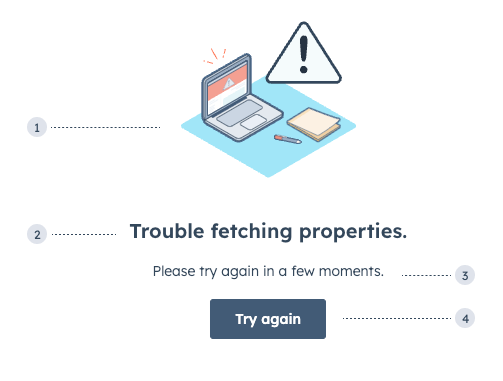
The ErrorState component sets the content of an erroring extension. Use this component to guide users through resolving errors that your extension might encounter.
design-guidelines-error-state-primary-button
  1. Illustration: one of three error-themed illustrations.
  2. Title: the main error message to explain the root cause if known.
  3. Additional text: an additional Text component to provide further guidance. This does not come with the component by default. Error text should use the following formats:
    • Known cause: [what failed] + [why it failed] + [next steps]. For example, Failed to load extension due to outage, please wait a few minutes and try again.
    • Unknown cause: [what failed] + [next steps]. For example, Couldn’t load data, try refreshing the page or contacting IT.
  4. Additional button: an additional Button component to can help users take action. This does not come with the component by default.
import { ErrorState, Text, Button } from '@hubspot/ui-extensions';

const Extension = ({ data, error, fetchData }) => {
  if (error) {
   return (
    <ErrorState title="Trouble fetching properties.">
     <Text>
      Please try again in a few moments.
     </Text>
     <Button onClick={fetchData}>
      Try again
     </Button>
   </ErrorState>
   )
 }
  return (
   {data.map(...)}
  );
}

Props

PropTypeDescription
titleStringThe text of the component header.
type'support' | 'lock' | 'error' (default)The type of image that will be displayed.

Variants

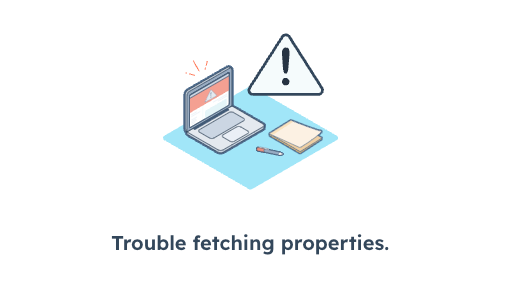
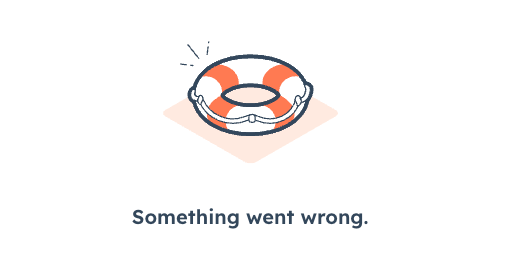
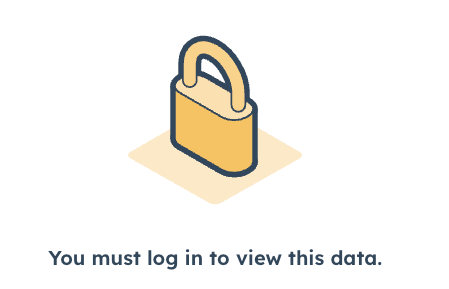
Using the type prop, you can set one of three illustrations.
design-guidelines-error-states_3
const Extension = ({ data, error, fetchData }) => {
  if (error) {
   return (
    <ErrorState
     title="Trouble fetching properties."
     type="error"
    >
   </ErrorState>
   )
 }
  return (
   {data.map(...)}
  );
}
design-guidelines-error-states_1
const Extension = ({ data, error, fetchData }) => {
  if (error) {
   return (
    <ErrorState
     title="Something went wrong."
     type="support"
    >
   </ErrorState>
   )
 }
  return (
   {data.map(...)}
  );
}
design-guidelines-lock
const Extension = ({ data, error, fetchData }) => {
  if (error) {
   return (
    <ErrorState
     title="You must log in to view this data."
     type="lock"
    >
   </ErrorState>
   )
 }
  return (
   {data.map(...)}
  );
}

Usage examples

  • Use the default error type when a card encounters an error when fetching data.
  • Use the support error type when the user should contact internal or external support to resolve an error.
  • Use the lock error type when the user needs to log in or doesn’t have permission to access the card’s data.

Guidelines

  • DO: use text that’s clear, direct, brief, and helpful.
  • DON’T: use technical jargon.
  • DON’T: say “sorry” or use frivolous language such as “oops,” “uh-oh,” and “it’s us, not you.”
  • DON’T: use exclamation points.
Last modified on March 30, 2026