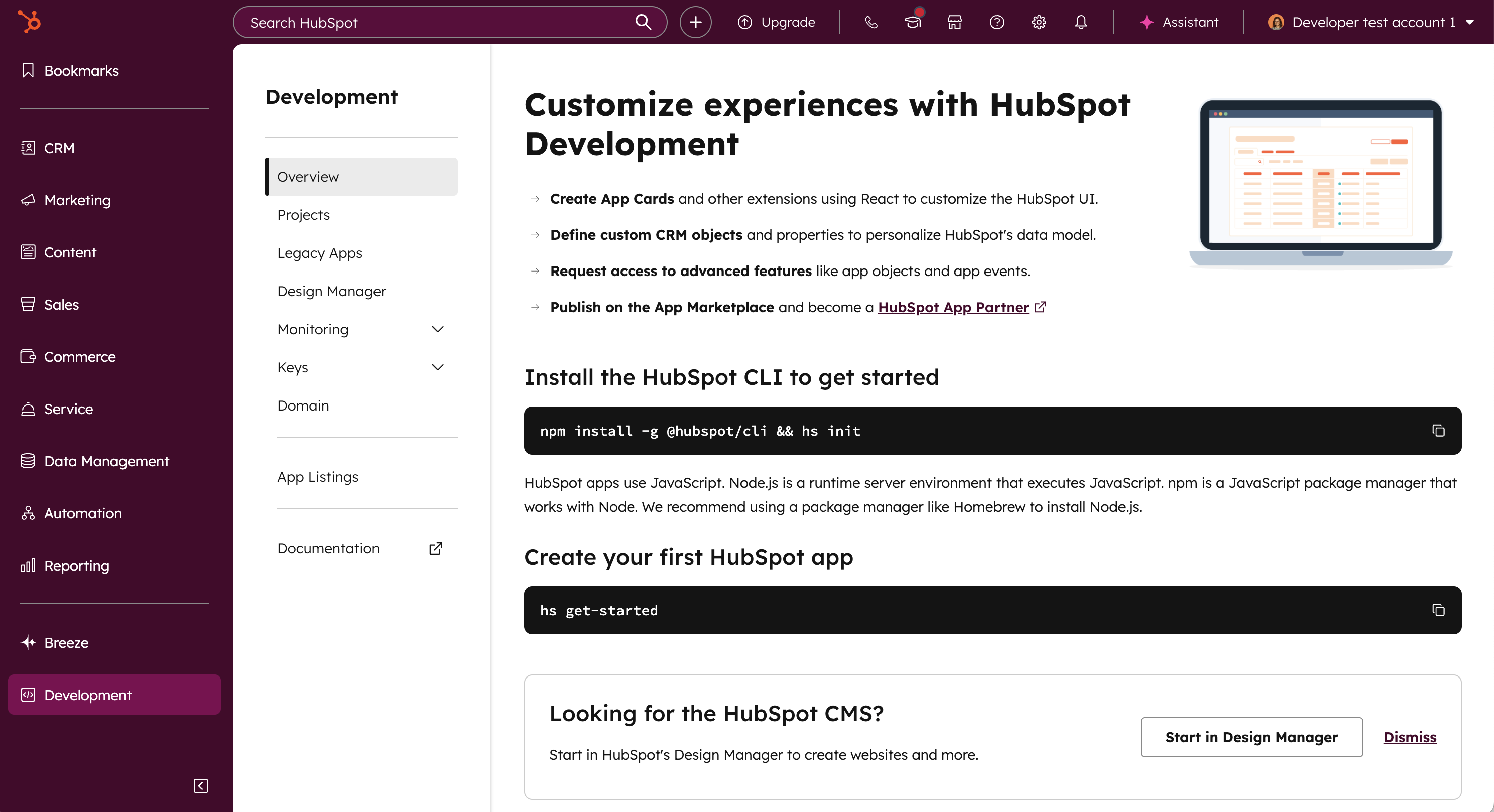
The development overview in your HubSpot account provides a centralized page to manage apps, authentication details, app monitoring, app marketplace listings, and more. Super admins, partner admins, and users with either a developer seat or the Developer tools access permission can access the development overview page.Documentation Index
Fetch the complete documentation index at: https://developers.hubspot.com/docs/llms.txt
Use this file to discover all available pages before exploring further.
Navigate to the development overview in your account
To access the development overview directly in your HubSpot account:- In your HubSpot account, navigate to Development.
- All your projects, app listings, and other details are available in the left sidebar menu:
- Overview: review API usage across your apps, recently updated projects, build & deploy statuses, and relevant product updates.
- Projects: drill down into your individual projects and their associated apps, including app management tools.
- Legacy apps: review any legacy private or public apps in your account.
- Design manager: navigate directly to the design manager tool in HubSpot.
- Monitoring: check API usage and logging for your apps in your account.
- Keys: locate details for your personal access key and developer API key.
- Domain: add or review the verified domain for your apps.
- App listings: create or review existing app listings on the HubSpot Marketplace.