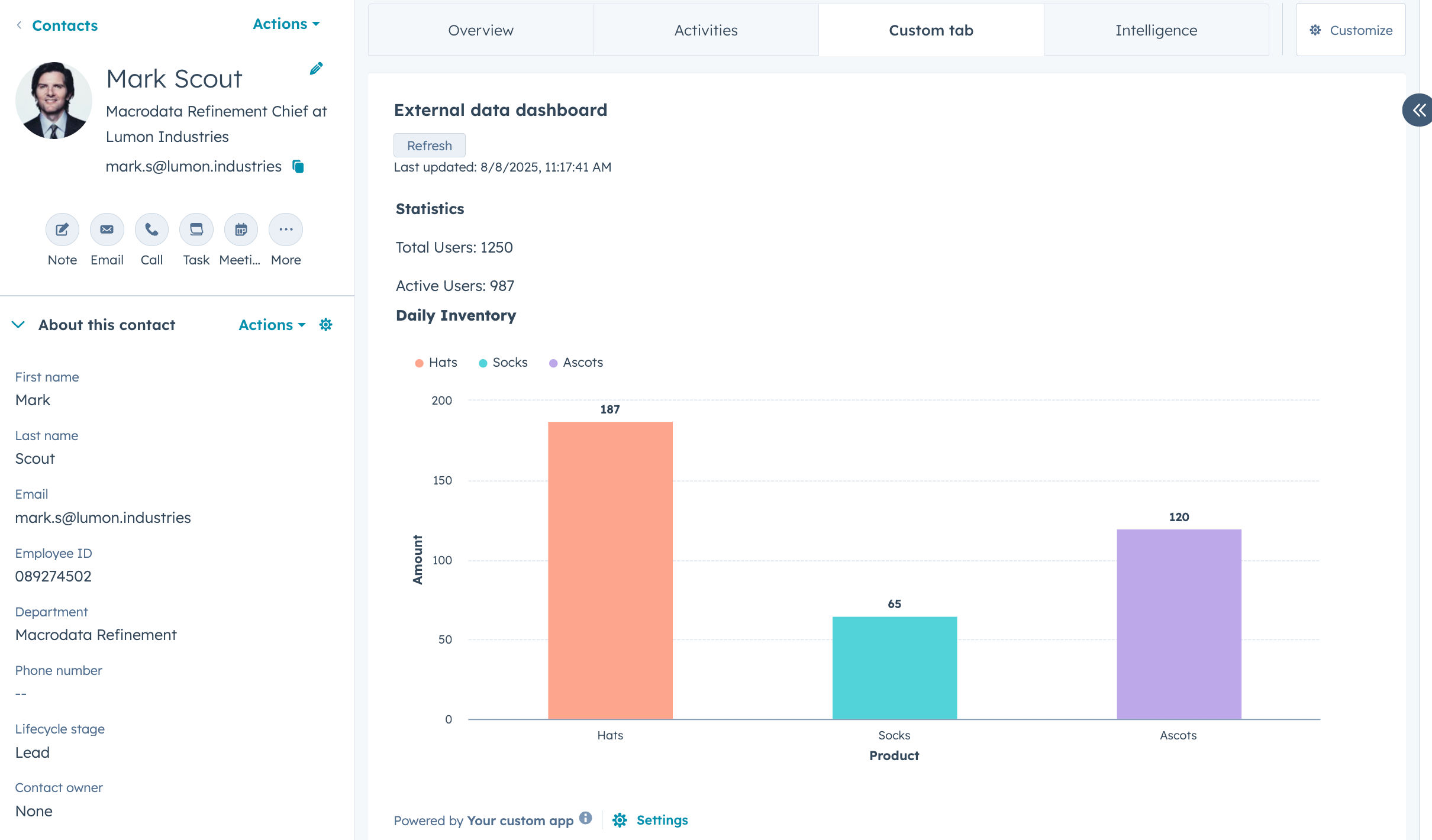
An overview of building cards to customize the HubSpot UI.
Add a layer of UI customization to your app by including app cards that can display data, allow users to perform actions, and more. You can build app cards that display on CRM records, preview panels, the help desk workspace, and the sales workspace.Once the app is installed in an account, Super Admins and users with Customize record page layout permissions can add any included app cards to their configured locations in HubSpot.
Apps that use Sensitive Data scopes can include app cards, but with the following restrictions:
Apps with Sensitive Data scopes cannot use hubspot.fetch(), preventing Sensitive Data from being sent to external services.
Apps with Sensitive Data scopes cannot use serverless functions.
If your app requires both Sensitive Data scopes and hubspot.fetch(), you’ll need to use separate apps for each capability.
Please note: these restrictions are safeguards provided by HubSpot, but they are not a substitute for your own Sensitive Data handling practices. As a developer, you are responsible for ensuring that your app handles Sensitive Data in compliance with applicable laws, regulations, and HubSpot’s Sensitive Data terms.
To get started building app cards:
Follow the quickstart guide to start with a new app, or check out the app creation guide to customize the features and configuration of a new app.
Migrate an existing legacy private or public app to the developer platform.
Learn how to add an app card to an existing developer platform app.
If you plan on distributing your app on the HubSpot Marketplace, any app cards you’ve built are subject to a technical review from the HubSpot Ecosystem Quality team, and must adhere to the requirements listed here.
Last modified on March 30, 2026
Was this page helpful?
Assistant
Responses are generated using AI and may contain mistakes.